Most Google Ads advice tells you to test your ad copy and use exact match keywords. You already know that. The problem isn’t awareness, it’s that your campaigns are bleeding money and you can’t pinpoint where.
This guide is structured differently. Instead of a flat list of tips, it walks you through the actual diagnostic sequence that experienced PPC managers use starting with where the budget goes to die, then moving into structure, bidding, and copy. Work through it in order.
Google ads tips are actionable strategies used to improve the performance, efficiency, and ROI of paid search campaigns on Google’s advertising platform. At their core, they address three variables: who sees your ad, how much you pay per click, and whether that click converts.
Why Your Google Ads Are Underperforming Right Now
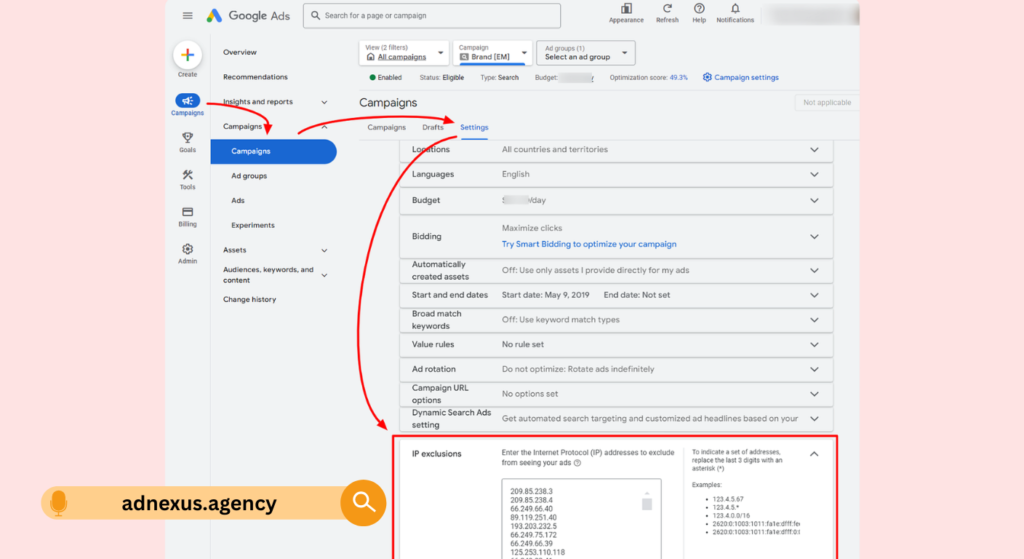
Before touching a single bid or rewriting an ad, you need to know what is broken. Skipping this step is the single most common reason campaigns stay broken for months.
According to WordStream’s 2023 Google Ads Industry Benchmarks report, the average click-through rate across all industries on Google Search is 6.42%. Most small business accounts sit well below 3%. That gap almost never comes from bad ad copy. It comes from structural problems at the campaign and keyword level problems that no amount of bid adjusting will fix.
Here’s the thing: Google’s interface is designed to keep you optimizing, not diagnosing. The Recommendations tab will happily suggest you increase your budget when the real issue is you’re matching the wrong search terms entirely.
The two questions to answer before anything else:
- What search terms is my budget actually buying?
- How much of that spend is going to queries I’d never want to bid on?
The First Real Google Ads Tip Nobody Leads With: Read Your Search Terms Report
This is where most guides skip straight to optimize your Quality Score. Don’t.
The Search Terms Report (found under Keywords → Search Terms in your Google Ads dashboard) shows you the actual queries that triggered your ads not just the keywords you think you’re bidding on. With broad match and even phrase match keywords, Google regularly matches your ads to searches that are loosely, sometimes barely, related to your target.
Open the report. Filter for the last 30 days. Sort by cost, descending.
Look for three things immediately:
- Queries that are completely off-topic for your business
- Brand name queries (your competitors’ brands triggering your spend)
- Informational queries (people researching, not buying) eating into a budget meant for buyers
Every irrelevant query you find represents money you’ve already spent on clicks that had zero chance of converting. How to Build a Negative Keyword List from Scratch, That money is gone. But if you add those terms to your negative keyword list now, you stop the same drain from happening next month.
Quick note: this isn’t a one-time task. The Search Terms Report needs a weekly review, especially in the first 60 days of any new campaign.
Build Your Negative Keyword List Before You Do Anything Else
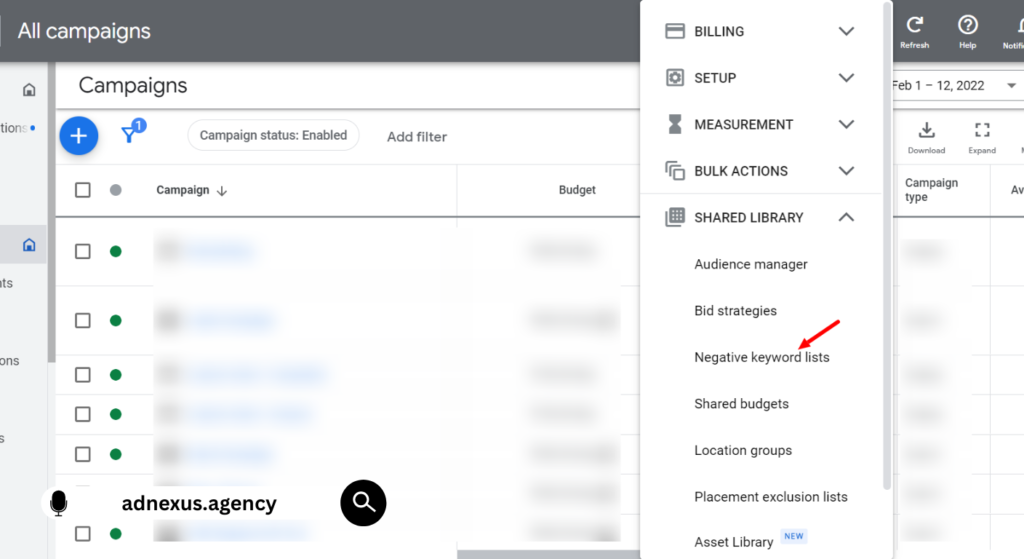
This is the foundational budget-saving step that almost every beginner skips and almost every competitor article ignores.
A negative keyword tells Google: don’t show my ad when this word appears in the search. It sounds simple. The impact is not.
To build an effective negative keyword list, follow these steps:
- Export your Search Terms Report for the past 30–90 days
- Identify any query you would not want to pay for flag these
- Sort flagged terms into categories: irrelevant topics, competitor brands, informational modifiers (e.g., free, DIY, how to)
- Add category-level negatives at the campaign level (e.g., if you sell premium services, add free and cheap as broad match negatives)
- Add specific irrelevant queries as exact match negatives at the ad group level
- Review and update the list every 7–14 days
Most small business accounts save 15–30% of their monthly budget within the first two weeks of doing this properly. That’s not a claim it’s the consistent finding from accounts that have never run a negative keyword audit.
Some PPC managers argue that Smart Campaigns handle this automatically. That’s valid if your goal is volume and you have a large data set. But if you’re managing under $5,000/month, Smart Campaigns often lack enough conversion data to self-optimize meaningfully and in the meantime, budget leaks quietly every day.
Keyword Match Types: What’s Actually Happening in 2025
Google has quietly shifted the balance of power toward broad matches over the past three years. If you set up your campaigns in 2021 or earlier and haven’t revisited your match type strategy, your campaigns are probably running very differently than you think.
Here’s what each match type actually does today:
Quick Comparison
| Match Type | Best For | Key Benefit | Limitation |
| Broad Match | Campaigns with strong Smart Bidding data (500+ conversions/month) | Maximum reach, lets Google find patterns | High irrelevant traffic without conversion history |
| Phrase Match | Mid-stage campaigns with moderate conversion data | Balanced reach with intent context | Can still drift into loosely related queries |
| Exact Match | Tight, high-intent campaigns with known profitable queries | Precise control over spend | Limited reach, misses long-tail variations |
| Broad Match Modified (deprecated) | N/A — removed by Google in 2021 | N/A | No longer available |
The counter-intuitive reality: exact match is not always the safest option for small budgets. If your exact match keyword list is too narrow, Google has less data to work with, your Quality Score stagnates, and your CPCs climb. Or maybe I should say it this way: exact match gives you control, but control without volume means you’re paying more per click to show to fewer people.
The practical approach for accounts spending under $3,000/month: run phrase match as your default, layer in exact match for your highest-performing, most proven keywords, and use broad match only with a robust negative keyword list already in place.
🔗 Google Ads Help Center keyword matching documentation
Quality Score: What It Is, What It Isn’t, and Why You’re Probably Focused on the Wrong Thing
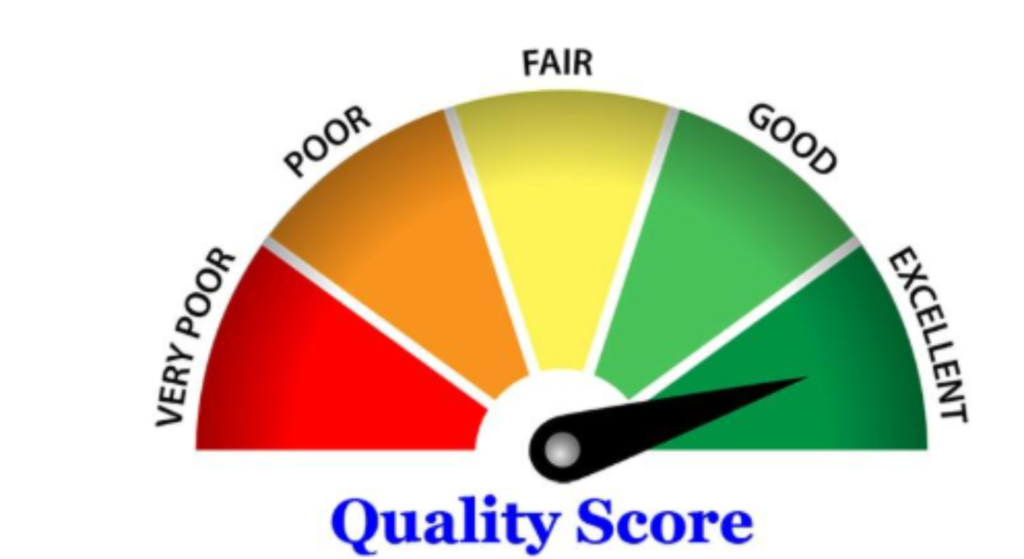
Quality Score is Google’s 1–10 rating of how relevant your keyword, ad, and landing page are to a user’s search. A higher Quality Score lowers your cost-per-click and improves your ad position. Everyone knows this.
What most guides skip is the specific lever that moves Quality Score fastest: landing page relevance, not ad copy.
Most advertisers obsess over tweaking headlines when their landing page is doing the real damage. If someone searches affordable plumber London, clicks your ad, and lands on a generic homepage Google registers a high bounce rate, low time-on-page, and poor conversion signals. Your Quality Score drops. Your CPC rises. The problem wasn’t your headline.
Three Quality Score levers, ranked by impact for most small business accounts:
- Landing page relevance Does the page answer the specific query that triggered the click? Not your homepage. A dedicated page.
- Expected CTR Does your ad copy match what someone searching that query actually wants to see? Include the keyword naturally in Headline 1.
- Ad relevance Are your keywords tightly grouped so that each ad group serves one specific theme? One product, one page, one ad group.
Tools like Optmyzr make it easier to audit Quality Score at scale it surfaces low-QS keywords, groups them by root cause, and suggests fixes. Google Ads Landing Page Optimization, For accounts running more than 20 ad groups, this kind of tooling pays for itself quickly.
Bidding Strategy: When to Trust Google, When Not To
Automated bidding strategies Target CPA, Target ROAS, Maximize Conversions work. But they work only when Google has enough conversion data to learn from.
The threshold that most Google documentation underplays: Smart Bidding needs at least 30–50 conversions per month, per campaign, to optimize reliably. Below that threshold, you’re essentially asking an algorithm to make decisions without enough signal. The result is usually erratic spending big days followed by zero impressions, or CPCs that swing 300% week over week.
I’ve seen conflicting data on this threshold, some sources cite 30 conversions, others say 50, and Google’s own guidance has changed over time. My read is that 30 is the floor for any learning, and 50+ is where you start seeing consistent, intentional optimization.
What to use at each budget stage:
- Under 30 conversions/month: Manual CPC with Enhanced CPC enabled gives you control while letting Google make small bid adjustments
- 30–80 conversions/month: Maximize Conversions (with a target CPA set as a guardrail to prevent runaway spend)
- 80+ conversions/month: Target CPA or Target ROAS this is where Smart Bidding genuinely outperforms manual management
Look, if you’re in the under-30-conversions situation and Google keeps recommending you switch to Maximize Conversions, here’s what actually works: decline it, tighten your keyword list, improve your landing page, and build toward that threshold deliberately. Don’t let the algorithm “learn” on a data set too small to learn from.
Ad Copy That Converts: The Mechanics Most Articles Skip
Responsive Search Ads (RSAs) are now Google’s default format. You provide up to 15 headlines and 4 descriptions. Google tests combinations and optimizes toward the best performers.
This is genuinely useful. It’s also misused constantly.
The most common mistake: writing 15 headlines that all say the same thing in slightly different ways. Google can’t learn anything meaningful from variations of Top-Rated Plumber in London, London’s Best Plumber, and Trusted London Plumber they’re statistically identical from a signal perspective.
Write headlines across three distinct categories:
- Keyword-led (2–3 headlines): Include the primary keyword naturally Emergency Plumber London, Affordable Plumbing Services
- Benefit-led (4–5 headlines): What does the customer get? Same-Day Response, No Call-Out Fee, Fully Insured Engineers
- CTA/urgency (2–3 headlines): Book Online in 60 Seconds, Get a Free Quote Today, Available 24/7
Then pin Headline 1 to your primary keyword. Always. This controls the most visible part of your ad and signals relevance directly.
SEMrush’s Ad History tool is worth using here; you can see exactly what your competitors have been running, for how long, and which variations they’ve kept. A copy that runs for 6+ months is a copy that’s working. Study it.
Using Google Keyword Planner Without Getting Burned
Google Keyword Planner is free and genuinely useful for discovering new keywords and estimating search volume. It’s also systematically misleading for small accounts if you use it the wrong way.
Two specific problems:
Problem 1: Volume ranges, not numbers. For accounts without active Google Ads spend, Keyword Planner shows volume in wide brackets (1K–10K, 10K–100K). That’s a useless range for budget planning. Fix: run a small campaign for 2–3 weeks first, then Keyword Planner shows more precise estimates for your account.
Problem 2: Competition means advertiser competition, not organic difficulty. High competition in Keyword Planner means many advertisers are bidding on that term. It says nothing about whether you can rank organically or whether those clicks convert. Don’t confuse the two.
Use Keyword Planner for: discovering related keyword clusters, identifying seasonal volume trends, and getting rough CPC estimates for budget planning.
Use SEMrush or a dedicated keyword tool for: understanding true organic difficulty, competitor keyword gaps, and long-tail opportunities that Keyword Planner’s interface tends to bury.
FAQs
Q: What’s the best way to reduce wasted spend in Google Ads?
A: Start by reviewing your Search Terms Report weekly and adding irrelevant queries to your negative keyword list. This single step typically recovers 15–30% of wasted budget within two weeks for small business accounts.
Q: How do I improve my Google Ads Quality Score?
A: Focus first on landing page relevance, create dedicated pages that directly match the intent of each ad group’s keywords. Landing page quality has a faster impact on Quality Score than ad copy changes for most accounts.
Q: Should I use Smart Bidding or manual bidding on Google Ads?
A: Use manual CPC until you have at least 30 conversions per month per campaign. Below that threshold, Smart Bidding lacks sufficient data to optimize reliably and often produces erratic spending patterns.
Q: Why does my Google Ads CTR keep dropping?
A: A falling CTR usually signals a keyword-to-ad relevance mismatch your ads aren’t closely enough matched to the search queries triggering them. Audit your ad groups for tight thematic grouping and check that Headline 1 contains the primary keyword.
Q: When should I use broad match keywords in Google Ads?
A: Use broad matches only when your campaign has 500 or more monthly conversions and Smart Bidding is active. Without that conversion volume, broad match sends traffic to loosely related queries with no algorithmic guardrail to filter them.