A lot of small business owners have the same experience. They open a Google Ads account, follow the setup wizard, spend $400 in three weeks, get 60 clicks, and zero calls. Then they close the tab and tell everyone Google Ads doesn’t work.
Here’s the thing: it wasn’t Google Ads that failed. It was the setup.
This guide will show you what realistic results look like, what a real starting budget means for your type of business, and more importantly exactly which mistakes kill campaigns before they have a chance to work. No upselling. No false promises.
What is Google Ads for small business?
Google Ads for small business is a pay-per-click advertising platform that lets local and independent businesses show up at the top of Google search results when potential customers are actively searching for their services. Unlike social media ads, Google Ads targets people who are already looking not people who might be passively interested. You set a daily budget, choose keywords, and pay only when someone clicks your ad.
Does Google Ads Actually Work for Small Businesses?
Short answer: yes but not automatically, and not for everyone.
According to Google’s own Economic Impact Report (2023), businesses earn an average of $2 in revenue for every $1 spent on Google Ads. That’s a compelling headline. But the word average is doing a lot of heavy lifting there: a law firm paying $80 per click and a candle shop paying $0.40 per click are both in that average, and their results look nothing alike.
The businesses that see consistent returns from Google Ads tend to share three traits: they’re targeting a specific service in a specific area, they’re sending traffic to a dedicated landing page (not their homepage), and they’re measuring what happens after the click, not just counting the clicks.
I’ve seen conflicting data on this. Some sources say the average small business ROI from Google Ads is closer to break-even after agency fees, while others cite 4:1 returns for local service businesses. My read is that ROI is almost entirely determined by targeting quality and what your landing page does with the traffic. The ad itself is maybe 20% of the equation.
Most people assume Google Ads is too expensive for small businesses. The data says otherwise it’s not the cost per click that’s the problem, it’s what happens after the click.
According to Google’s Economic Impact Report (2023): Businesses make an average of $2 in revenue for every $1 spent on Google Ads. However, this figure varies significantly by industry, targeting precision, and landing page quality meaning two businesses with identical budgets can see wildly different returns based on how their campaigns are structured.
What Does Google Ads Actually Cost for a Small Business?
This is the question everyone has and almost no article answers directly.
There is no fixed price. Google Ads runs on an auction system you bid against other businesses targeting the same keywords. The more competitive your industry and location, the more each click costs. A personal injury lawyer in Manhattan might pay $150 per click. A local dog groomer in a mid-sized city might pay $1.20.
Here’s a realistic breakdown by business type:
Quick Comparison
| Business Type | Avg. Cost Per Click | Suggested Monthly Budget | What That Buys You |
| Local service (plumber, HVAC, electrician) | $6–$25 | $800–$2,000 | 40–150 clicks/month |
| Dentist / healthcare | $3–$10 | $500–$1,500 | 80–250 clicks/month |
| Law firm | $30–$150 | $2,000–$5,000 | 20–60 clicks/month |
| Retail / e-commerce | $0.50–$3 | $300–$1,000 | 150–700 clicks/month |
| B2B services | $4–$20 | $700–$2,000 | 50–200 clicks/month |
Sources: WordStream Industry Benchmarks 2024, Google Keyword Planner estimates
Quick note: these are ranges, not guarantees. Your actual cost per click will depend on your exact location, the keywords you target, and your Quality Score which Google uses to reward well-structured campaigns with lower costs per click.
Google Smart Campaigns is the simplified campaign type built specifically for small business owners who don’t have time to manage keyword bids manually. It handles targeting automatically based on your business type and location. The trade-off is less control. If you want Google to do the heavy lifting early on, Smart Campaigns is a reasonable starting point just don’t assume automation means optimal.
How much should a small business spend on Google Ads?
According to WordStream’s 2024 industry benchmarks, small businesses that spend less than $500/month on Google Ads rarely generate enough data to optimize effectively. A budget of $500–$1,500/month gives most local businesses enough clicks to identify what’s working within 60–90 days. Start with what you can sustain for three months, not what you can afford to test once.
How to Set Up Google Ads for a Small Business (Without Wasting Your First $500)
Getting the account open is easy. Google makes it very easy suspiciously easy, because the default setup options are designed to spend your budget quickly, not efficiently.
To set up Google Ads for a small business without burning early budget, follow these steps:
- Create your account at ads.google.com and select Switch to Expert Mode immediately do not use the default guided setup
- Choose Search Campaign as your campaign type not Smart Campaign, Display, or Performance Max
- Set your campaign goal to Leads or Website traffic depending on what you can measure
- Use Google Keyword Planner to research 10–20 tightly focused keywords prioritize exact match and phrase match over broad match
- Write at least 3 headline variants per ad group, with your primary keyword in at least one headline
- Send traffic to a dedicated landing page not your homepage with one clear call to action
- Enable conversion tracking before the campaign goes live so you can measure calls, form fills, or purchases from day one
The most expensive mistake new advertisers make is skipping Step 7. Without conversion tracking, you’re flying blind. You’ll know how many people clicked. You won’t know how many became customers.
Or maybe I should say it this way: you can’t optimize what you can’t measure, and most small business campaigns run for months without a single conversion track.
The 4 Mistakes That Drain Small Business Ad Budgets Fast
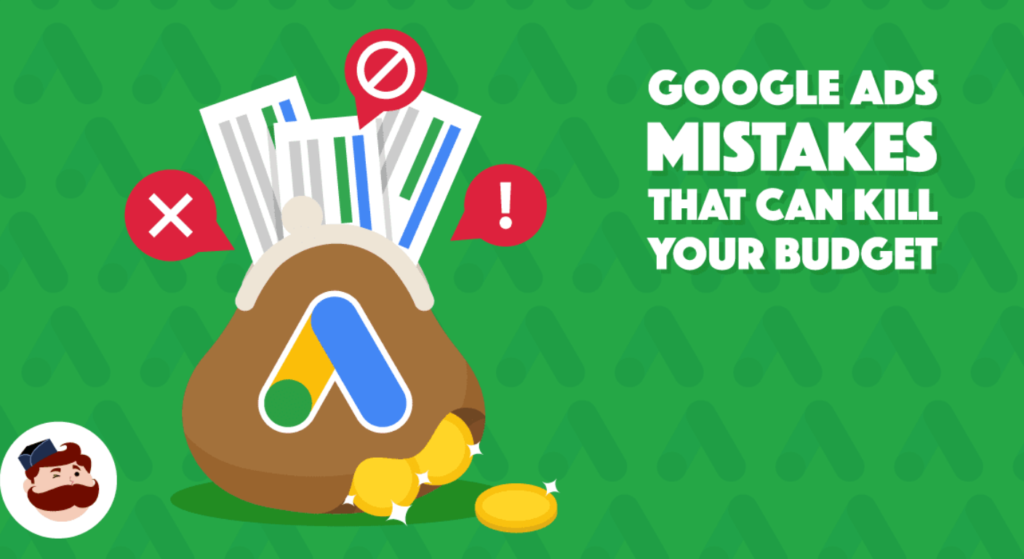
Look, if you’re running your first Google Ads campaign, here’s what actually wastes money for people in exactly your situation.
Mistake 1: Using broad match keywords everywhere
Broad match tells Google to show your ad for any search it thinks is related to your keyword. That sounds helpful. In practice, it means a plumber in Denver pays for clicks from people searching plumbing jobs or how to unclog a drain yourself. Use phrase match or exact match to start. Broad match is a tool for scaling campaigns that already work, not for building them.
Mistake 2: Sending all traffic to your homepage
Your homepage has to serve everyone. A landing page can speak directly to one person with one offer and one button. Businesses that send Google Ads traffic to a dedicated landing page consistently see higher conversion rates than those sending to a homepage. This isn’t a minor detail. It’s often the difference between a profitable campaign and a losing one.
Mistake 3: Ignoring negative keywords
Negative keywords tell Google which searches should NOT trigger your ad. If you’re a premium wedding photographer, cheap wedding photos should be on your negative keyword list from day one. Without a negative keyword list, you’ll pay for clicks you’d never want.
Mistake 4: Turning off campaigns too early
Most campaigns need 60–90 days and roughly 100–200 clicks before you have enough data to make meaningful optimization decisions. Turning a campaign off after two weeks because it hasn’t converted yet is like stopping a diet after three days. Some experts argue you should know within 30 days whether Google Ads is working. That’s valid if your budget is high and your conversion tracking is perfect. But for most small businesses working with $500–$1,000/month, patience is a competitive advantage.
How to Know If Your Google Ads Are Working
Clicks are not results. This point cannot be overstated.
The metric that matters for most small businesses is cost per conversion: how much you’re spending in ad costs for every lead, call, or sale you get. If you’re a local dentist and your average new patient is worth $800 over their first year, a cost per conversion of $60 is excellent. A cost per conversion of $600 is a problem.
What most guides skip is the 90-day rule: Google Ads campaigns almost always look worse in the first month than they’ll look in month three, because the algorithm takes time to learn which searches and which users convert for your specific business. Pulling the plug at week four based on early data is one of the most common and most expensive mistakes in small business paid search.
Use WordStream’s Free Google Ads Performance Grader if you’ve already got a campaign running. It audits your account and flags specific structural issues wasted spend, Quality Score problems, missing ad extensions in about two minutes. It’s not a replacement for a full audit, but it’s a fast, free starting point.
According to a WordStream analysis of thousands of small business Google Ads accounts: The average small business wastes 25% of its Google Ads budget on irrelevant clicks that could be blocked with a proper negative keyword list. That means for every $1,000 you spend, roughly $250 is likely going to searches that will never convert.
Smart Campaigns vs. Manual Search Campaigns: Which One Is Right for You?
Some experts argue that Smart Campaigns are good enough for small businesses with simple goals. That’s valid for a business owner who has literally no time to manage keywords, bids, or ad copy better to run something than nothing.
But if you want control over where your money goes, manual Search Campaigns consistently outperform Smart Campaigns for businesses with specific service areas, seasonal demand, or competitive niches. The key difference is transparency: with a manual campaign, you can see exactly which search terms triggered your ads and exactly which ones converted.
Smart Campaigns vs. Manual Search Campaigns:
Smart Campaigns are better suited for business owners who need a fast, low-maintenance setup because Google handles targeting and bidding automatically. Manual Search Campaigns work better when you have specific high-value keywords to target and want full visibility into search term data. The key difference is control versus convenience and for most local service businesses, the visibility of manual campaigns pays for itself in avoiding wasted spend.
FAQs
Q: What’s the best Google Ads campaign type for a small business just starting out?
A: For most small businesses, a manual Search Campaign in Expert Mode gives the most control and transparency. Smart Campaigns work as a starting point if you have zero time to manage keywords, but they offer less visibility into what’s actually triggering your ads.
Q: How do I set a Google Ads budget for a small business with limited funds?
A: Start with a daily budget that lets you gather 5–10 clicks per day typically $15–$50/day depending on your industry. Sustain it for at least 60 days before making major changes. Less than $500/month rarely generates enough data to optimize effectively.
Q: Should I use Google Ads or Facebook Ads for my small business?
A: Google Ads captures people who are already searching for what you offer high purchase intent. Facebook Ads builds awareness with people who aren’t searching yet. For service businesses that need leads now, Google Ads typically performs faster. For brand-building or visual products, Facebook and Instagram often deliver better early returns.
Q: Why does my Google Ads account spend money but get no conversions?
A: The most common causes are broad match keywords triggering irrelevant searches, ad traffic going to a homepage instead of a dedicated landing page, and missing conversion tracking which means conversions may be happening but aren’t being recorded.
Q: When should I hire someone to manage my Google Ads instead of doing it myself?
A: When your monthly ad spend exceeds $1,500–$2,000, the time cost of managing the account yourself typically exceeds what a freelancer or agency would charge. Below that threshold, learning to manage it yourself often makes more financial sense.
This guide covers Google Search Ads for small and local businesses. It does not address Google Shopping campaigns, Performance Max, YouTube ads, or enterprise accounts with multiple locations and large team structures.