This guide is built for accounts spending $1,000–$50,000/month on Google Ads. It won’t address enterprise-level MCC audits or agencies managing 50+ accounts simultaneously, that’s a different scope entirely.
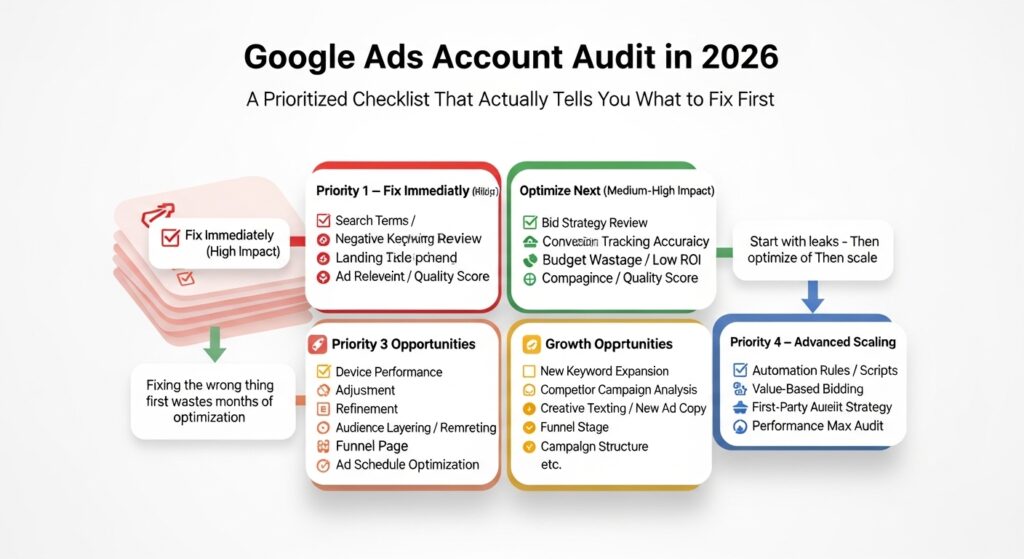
A Google Ads audit is a structured review of your entire Google Ads account examining campaign settings, keyword targeting, bidding strategy, ad quality, and conversion tracking to identify where budget is being wasted and which changes will have the highest measurable impact.
That last part matters. An audit isn’t just a diagnostic. It’s a prioritization exercise.
Why Most Google Ads Accounts Are Bleeding Budget Right Now
Here’s the uncomfortable number: according to WordStream’s Google Ads Benchmarks report (2023), the average Google Ads account wastes approximately 76% of its budget on irrelevant clicks driven primarily by poor keyword targeting and match type mismanagement.
Seventy-six percent. That’s not a rounding error.
Most advertisers who’ve been running campaigns for 12+ months have never done a formal audit. They’ve adjusted bids, swapped headlines, maybe raised the daily budget when performance dipped. What they haven’t done is step back and examine the account’s structural logic which is almost always where the real problems live.
The reason this matters more in 2025 than it did in 2019 is that Google’s platform has changed fundamentally. Smart Bidding, Performance Max campaigns, and consent-mode-aware conversion tracking have introduced new ways to lose money that didn’t exist when most Google Ads audit guides were written. The Unbounce guide you might have found still widely cited was built in an AdWords era. It doesn’t address any of these.
According to Google’s own documentation (2024), Performance Max campaigns now serve across all Google inventory simultaneously, which means a single misconfigured asset group can dilute spend across Search, Display, YouTube, and Gmail at the same time. That’s a new class of audit problems.
One thing I want to be direct about: there’s conflicting data on exactly how much Smart Bidding improves performance when implemented correctly. Some sources cite 20–30% CPA reductions; others show flat or negative results on accounts with thin conversion history. My read is that Smart Bidding auditing is non-negotiable in 2025, but the goal of auditing it is to verify it has the data it needs not to assume it’s working.
The Right Order to Run a Google Ads Audit (Prioritized by Impact)
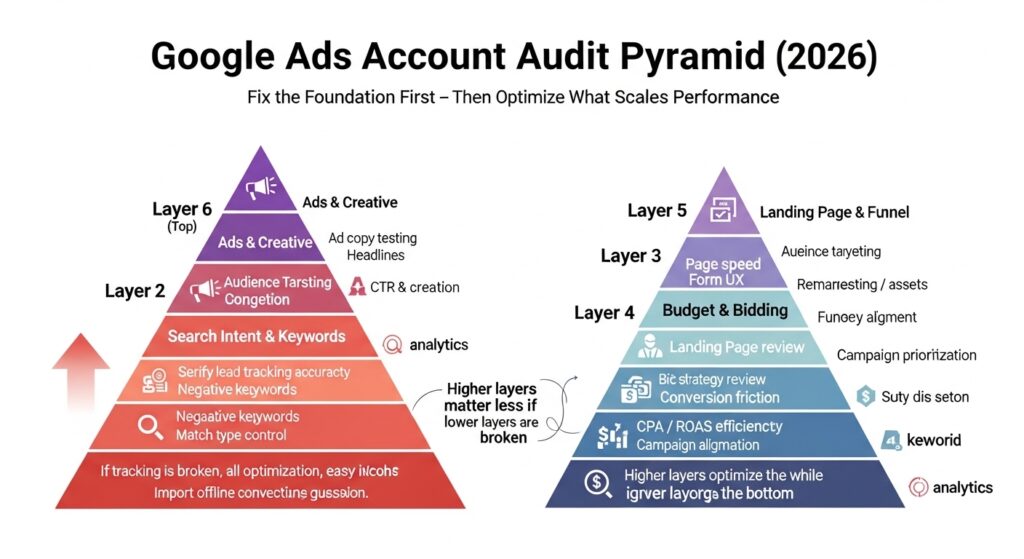
This is where most audit checklists fail the reader. They hand you 47 items with no indication of which to fix first.
The order below is sequenced by impact-to-effort ratio starting at the top, and you’ll find the biggest budget leaks fastest.
Layer 1 Conversion Tracking Validation (Fix This Before Everything Else)
Look, if you’re in a situation where your conversion tracking is broken or double-counting, every other number in your account is a lie. You cannot make good decisions about bidding, keywords, or ad copy if the data underneath is corrupted.
Start here. Every time.
To validate conversion tracking, follow these steps:
- Open Google Ads → Tools → Conversions and check status for each action
- Confirm Tracking status shows Recording conversions not No recent conversions
- Use Google Tag Assistant to verify tags are firing on the correct thank-you or confirmation pages
- Check for duplicate conversion actions that may be inflating reported numbers
- If using Smart Bidding, confirm your primary conversion action has at least 30 conversions in the past 30 days
Quick note: Google’s own Auction Insights report won’t tell you if your tracking is broken. Neither will your campaign dashboard. You have to go looking for this specifically.
Many accounts running Target CPA or Target ROAS bidding are effectively flying blind the algorithm is optimizing toward a conversion signal that isn’t firing correctly. That’s not a bidding problem. That’s a data integrity problem, and no bid adjustment will fix it.
Layer 2 Campaign Structure and Budget Allocation Review
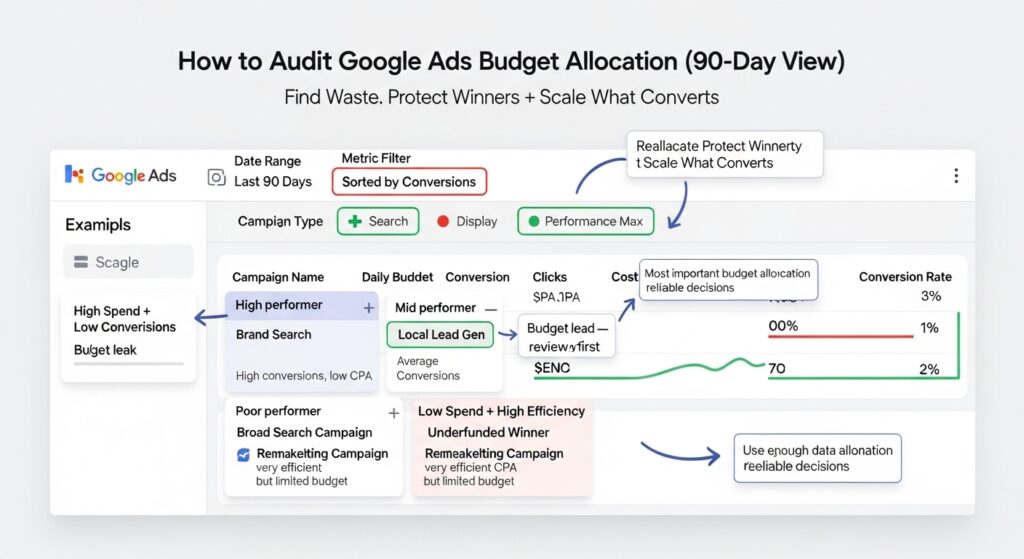
Once you trust your data, look at how money is distributed across campaigns.
Pull the last 90 days of the campaign. You’re looking for two patterns: campaigns that are consuming budget without conversions, and campaigns with strong conversion rates that are running into budget limits daily.
Or maybe I should say it this way the goal isn’t to cut spending. It’s to move money from where it isn’t working to where it is.
Quick Comparison Campaign Types
| Campaign Type | Best For | Key Benefit | Limitation |
| Search (Exact/Phrase) | High-intent keyword control | Predictable targeting | Reaches smaller audience |
| Performance Max | Full-funnel, goal-based reach | Broad inventory access | Limited transparency |
| Display | Awareness and remarketing | Low CPCs, visual format | Low purchase intent |
| Shopping | E-commerce product feed | Native buying context | Requires clean feed data |
| Demand Gen | Mid-funnel visual engagement | YouTube + Discover placements | Newer, less benchmarked |
For Performance Max specifically: check your asset group performance breakdown. Google now shows asset group-level insights under the Asset groups tab. If one asset group is consuming most of the budget with a conversion rate significantly below your account average, that’s your first structural fix.
Layer 3 Keyword Audit: Match Types, Search Terms, and Negative Keywords
This is where the WordStream 76% figure becomes real. Most of that wasted spend traces back to match type logic and missing negative keywords.
Broad match keywords especially when paired with Smart Bidding can serve ads for searches that have almost nothing to do with your product. Google’s match type definitions have loosened considerably since 2021. What used to require exact match intent now triggers on similar meanings, which in practice means competitor names, tangential topics, and sometimes completely unrelated queries.
Run this check in Google Ads Editor:
Pull your Search Terms report for the last 60 days. Filter by impressions over 50 and zero conversions. Sort by cost descending. The top of that list is your negative keyword list.
Adalysis one of the more rigorous PPC audit tools available flags this automatically and can surface search term anomalies across large accounts in minutes. For accounts with fewer than 20 campaigns, the manual approach above works fine.
Three things most audit checklists miss here:
- Checking for keyword cannibalization between campaigns (same or similar keywords competing against each other in auctions)
- Reviewing close variant matching behavior, which can cause exact match keywords to serve on near-duplicates you never intended to target
- Auditing dynamic search ad targets if DSAs are running these can be particularly aggressive in capturing unrelated traffic
Layer 4 Smart Bidding and Target Settings Review
Some experts argue that once you set a Target CPA or Target ROAS goal, the algorithm handles optimization and regular review isn’t necessary. That’s valid for fully mature accounts with stable conversion history. But if you’re reading this, you’re probably not in that situation.
Smart Bidding requires data to work correctly. Specifically:
- Target CPA needs at least 30 conversions per month at the campaign level to optimize reliably
- Target ROAS needs at least 50 conversions per month, ideally 100+
- Accounts below these thresholds often perform better on Maximize Conversions with a manual CPA cap
Check your bid strategy reports (Recommendations tab → Bid strategy report) to see how often campaigns are hitting budget caps versus bid caps. If campaigns are regularly budget-limited, the bidding strategy itself may be less of a problem than the budget ceiling.
What most guides skip is the portfolio bid strategy layer. If you’ve set portfolio-level Target CPA across multiple campaigns with vastly different conversion rates, the algorithm will funnel budget toward the easiest conversions, not necessarily the most valuable ones.
Layer 5 Quality Score and Ad Relevance Audit
Quality Score isn’t a metric Google displays prominently anymore, but it still drives your effective CPCs and ad rank. A QS of 4 or below on a keyword means you’re paying a significant premium for every click.
Pull QS data through Google Ads Editor (it’s not easily visible in the native interface for large accounts). Sort keywords by Quality Score ascending. Any keyword scoring 1–4 with significant spend in the last 30 days needs attention either improving the ad/landing page alignment or removing the keyword.
The three components of Quality Score Expected CTR, Ad Relevance, and Landing Page Experience are worth checking individually. Google Ads Help documentation. If Landing Page Experience is the weak signal, no amount of ad copy optimization will fix your QS. That’s a conversion rate optimization problem, not an ads problem.
Layer 6 Ad Copy and Asset Review
This is the layer most advertisers audit first. It should be last.
Ad copy matters but broken tracking, misallocated budget, and irrelevant keyword matching will destroy performance regardless of how good your headlines are.
With Responsive Search Ads (RSAs) now the default format, the audit here is about asset performance ratings. In your Ads tab, check which headlines and descriptions are rated Low these are being shown less frequently by Google’s rotation algorithm. Replace them with tighter, more specific variants.
Check your ad extensions (now called Assets in the Google interface). Sitelinks, callouts, and structured snippets all increase your real estate on the SERP and improve CTR without additional cost per click. Accounts missing these are leaving measurable performance on the table.
Consent Mode and Conversion Tracking in 2026 The Audit Step Nobody Talks About
This section exists because neither of the most commonly referenced audit guides covers it.
If your account runs in the EU, UK, or anywhere under GDPR jurisdiction and you’re using Google’s consent mode your conversion tracking may be operating in modeled mode for a significant portion of your traffic. Google’s consent mode v2 (required as of March 2024 for EEA traffic) uses behavioral modeling to fill in conversion data for users who declined cookies.
The audit question here is: how much of your reported conversion volume is modeled versus directly observed?
You can check this under Conversions → Segments → Conversion type, where Google now breaks out Observed vs Modeled conversions. If more than 40% of your conversions are modeled, your Smart Bidding algorithm is working from estimated data which has implications for how aggressively you should trust automated bid recommendations.
This isn’t a reason to panic. But it is something to factor into your audit conclusions.
What to Do With Your Audit Findings (The Prioritization Framework)
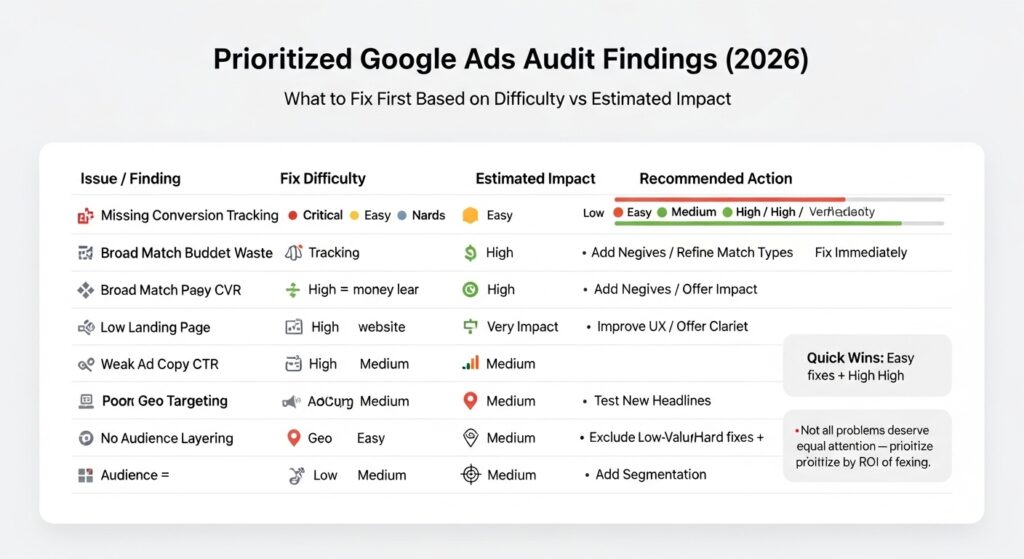
You’ve now got a list of problems. Here’s how to sequence the fixes based on your situation.
If your monthly spend is under $3,000:
Focus exclusively on Layers 1–3 first. Conversion tracking, budget allocation, and keyword hygiene will produce the most measurable improvement at this spend level. Smart Bidding changes on thin data can make things worse before they get better.
If your monthly spend is $3,000–$15,000:
All six layers apply. Prioritize in order. Don’t try to fix everything simultaneously change one variable at a time so you can attribute performance shifts correctly.
If your monthly spend is above $15,000:
Add a seventh layer: Auction Insights analysis. Google’s Auction Insights report (available at the campaign and ad group level) shows you who you’re competing against, how often you’re appearing above them, and your impression share. At this spend level, competitive dynamics matter more and the report surfaces opportunities for position-based bid adjustments.
FAQs
Q: What’s the best way to start a Google Ads audit if I’ve never done one before?
A: Start with conversion tracking validation. Check that your conversion actions are recorded correctly in Tools → Conversions before reviewing any performance data, everything downstream depends on this being accurate.
Q: How do I find wasted spend in my Google Ads account quickly?
A: Pull your Search Terms report for the last 60 days, filter for zero-conversion terms with more than 50 impressions, sort by cost descending. The top results are your immediate negative keyword additions.
Q: Should I audit my Performance Max campaigns differently than Search campaigns?
A: Yes. For Performance Max, focus on asset group performance, audience signal quality, and whether your conversion goals are correctly assigned standard Search audit steps around match types don’t apply the same way.
Q: Why does my Google Ads Quality Score keep dropping even when I update my ads?
A: Quality Score has three components Expected CTR, Ad Relevance, and Landing Page Experience. If the landing page component is rated Below Average, ad copy changes alone won’t raise your score, the page itself needs work.
Q: When should I hire someone to do a Google Ads audit instead of doing it myself?
A: If your account has more than 15 active campaigns, runs Performance Max alongside Search, or you’ve made significant changes in the last 6 months without clear attribution data, an external audit from a specialist typically surfaces issues that are difficult to see from inside the account.
This guide covers accounts running Search, Shopping, Performance Max, and Display campaigns. It does not address YouTube-only campaigns, app campaigns, or local service ads, which have distinct audit criteria.