
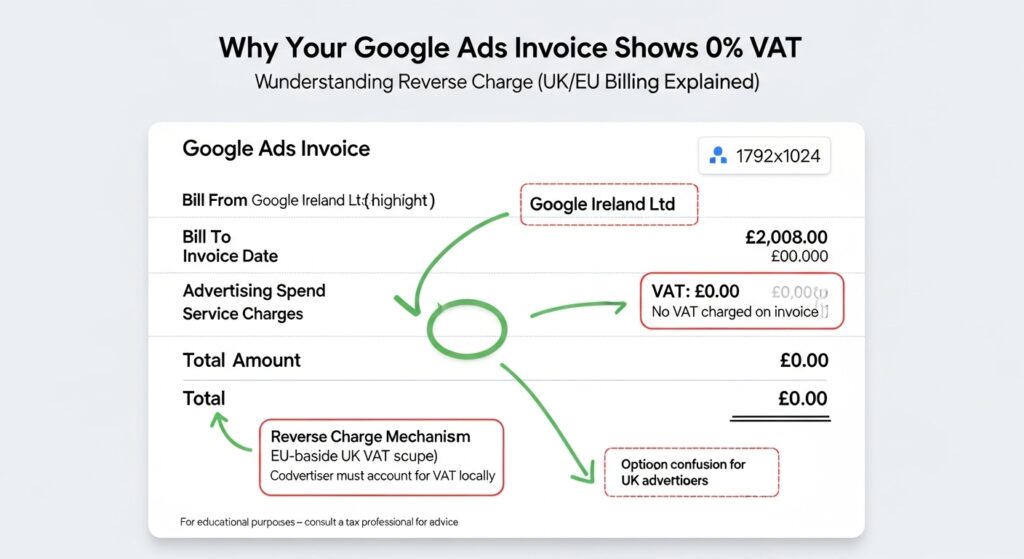
If you’ve just opened a Google Ads invoice and found no VAT charge on it, no 20%, no VAT number, nothing, you’re probably wondering whether that’s correct or whether something’s been missed.
It’s correct. But it doesn’t mean VAT doesn’t apply to you.
“VAT on Google Ads” Actually Means for UK Businesses
Is there VAT on Google Ads? Google Ads is billed by Google Ireland Ltd, an overseas supplier. UK VAT-registered businesses are not charged VAT directly instead, they must self-account for VAT under the reverse charge mechanism, reporting it on their own VAT return at the UK standard rate of 20%.
So the short answer: Google doesn’t charge you VAT. You charge it to yourself and in most cases, you also reclaim it in the same return, making the net cost zero.
That last sentence is the part most guides bury in a footnote. It matters. A lot.
According to HMRC VAT Notice 741A (updated post-Brexit, 2021), UK VAT-registered businesses receiving digital services from overseas suppliers must self-account for VAT under the reverse charge rules. Google Ads billed through Google Ireland Ltd falls squarely into this category.
The reverse charge exists because Google, as an Irish entity, isn’t registered for UK VAT and doesn’t collect it on your behalf. The responsibility shifts to you, the buyer. HMRC’s logic is sound: it prevents overseas suppliers from having to register in every country they sell into, while still ensuring VAT gets reported correctly.
Are You VAT-Registered? It Changes Everything
This is where most articles stop being useful. They explain reverse charge for VAT-registered businesses and ignore everyone else entirely.
Here’s the thing: the rules split cleanly into two groups.
If you ARE VAT-registered:
You must account for reverse charge VAT on every Google Ads payment. You report it, and assuming your business makes fully taxable supplies you reclaim it in the same VAT return. Net effect: £0 additional tax. The paperwork exists; the cash doesn’t leave your account.
If you are NOT VAT-registered:
You have no reverse charge obligation at all. You simply pay Google’s invoice. No VAT return entry. No self-accounting. The cost you pay is your total cost. Full stop.
Most guides skip the second group completely. If you’re a sole trader or small business below the £90,000 VAT registration threshold (2024–25 figure), you can stop worrying. The reverse charge doesn’t touch you.
Quick note: the threshold changed from £85,000 to £90,000 in April 2024. If you’re close to that line, it’s worth knowing your Google Ads spend counts toward your taxable turnover for registration purposes.
How the Reverse Charge Works: A Real Numbers Example
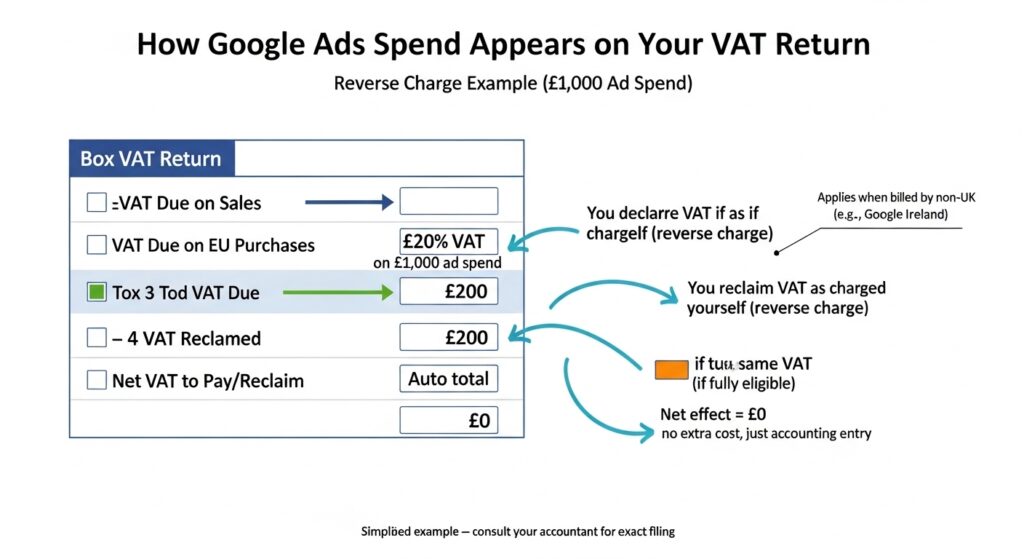
Say your Google Ads account is charged £1,000 in a quarter.
Google invoices you £1,000. No VAT added.
As a VAT-registered UK business, you treat this as a reverse charge supply:
- Box 1 (VAT due on sales): Add £200 (20% of £1,000)
- Box 4 (VAT reclaimed on purchases): Add £200 (same £200, assuming full input tax recovery)
- Box 6 (net value of sales): Add £1,000
- Box 7 (net value of purchases): Add £1,000
Net VAT impact: zero. You’ve declared £200 and reclaimed £200. Your actual Google Ads cost remains £1,000.
To account for reverse charge VAT on Google Ads in your UK VAT return:
- Take your total Google Ads spend for the period
- Calculate 20% of that figure this is your reverse charge VAT
- Add that amount to Box 1 (output VAT) on your VAT return
- Add the same amount to Box 4 (input VAT) if you’re fully taxable
- Add the net spend to both Box 6 and Box 7
- Submit net VAT payable is typically zero
Each step assumes your business makes wholly taxable supplies. If you’re partly exempt, speak to an accountant before completing Box 4.
Recording It in Xero or QuickBooks: What to Select
Knowing the theory is one thing. Finding the right button in your accounting software is another.
In Xero: When you post your Google Ads expense, set the tax rate to Tax Exempt (No VAT) on the invoice line but create a separate manual journal entry to record the reverse charge. Some Xero setups use a specific reverse charge tax rate depending on your configuration. Check with your Xero advisor if you’re unsure which tax code your account uses.
In QuickBooks Online: Select the expense account for Google Ads, then set the VAT code to Reverse Charge Expenses (20%) QuickBooks will automatically populate Box 1 and Box 4 correctly when this code is applied.
Or maybe I should say it this way: neither platform makes this completely obvious out of the box. If you’ve been posting Google Ads as a zero-rated or exempt expense without the reverse charge entry, you may have under-reported on previous VAT returns. It’s worth checking the last 4 years of returns with your accountant.
I’ve seen conflicting data on how commonly this gets misreported. Some practitioners say it’s rare because Xero and QuickBooks prompt correctly, others say it’s among the top 5 errors they correct on VAT return reviews. My read is that it depends entirely on who set up the software and whether they understood reverse charge at the time.
What If You’re Partially Exempt or Have Mixed Supplies?
Here’s where the clean net zero story gets complicated.
If your business makes a mix of VAT-able and VAT-exempt supplies for example, you’re an insurance broker who also sells consultancy services you can’t reclaim 100% of your input VAT. That affects Box 4.
You’d still add the full £200 reverse charge to Box 1. But your Box 4 reclaim would be reduced by your partial exemption percentage. Suddenly the reverse charge has a real cash cost.
Some experts argue that partial exemption is too niche to cover in a general Google Ads VAT guide. That’s valid for purely illustrative content. But if you’re the business owner reading this after getting a VAT inspection letter, you’ll know it’s anything but niche.
VAT-registered vs non-VAT-registered businesses on Google Ads:
VAT-registered businesses must self-account under reverse charge reporting and reclaim 20% on their VAT return, typically resulting in zero net cost. Non-VAT-registered businesses have no reverse charge obligation and simply pay Google’s invoice.HMRC VAT Notice 741A , The key difference is whether you’re registered, not whether you’re a limited company or sole trader.
The Counter-Intuitive Part Most People Miss
Most people assume that if Google doesn’t charge VAT, they owe no VAT. That assumption is wrong and HMRC knows it’s a common one.
What most guides skip is the enforcement angle. Since Brexit, HMRC has increased scrutiny of reverse charge compliance on B2B digital services. An overseas supplier not charging VAT is not HMRC’s problem it’s your responsibility as the recipient. If you’re VAT-registered and haven’t been accounting for reverse charge on Google Ads, that’s a reportable error under HMRC’s voluntary disclosure rules.
Look, if you’re a VAT-registered business that’s been running Google Ads for two or three years without ever entering a reverse charge entry, here’s what actually works: pull your invoices, calculate the VAT that should have been declared, and speak to your accountant about a voluntary disclosure. HMRC treats self-reported errors significantly more leniently than discovered ones.
FAQs
Q: Is there VAT on Google Ads in the UK?
A: Google doesn’t charge VAT on Google Ads invoices in the UK. Instead, VAT-registered UK businesses must self-account for VAT under the reverse charge mechanism, reporting 20% on their VAT return. Non-registered businesses have no VAT obligation.
Q: How do I account for Google Ads VAT on my UK VAT return?
A: Add 20% of your Google Ads spend to Box 1 (output VAT) and the same amount to Box 4 (input VAT). Also add the net spend to Box 6 and Box 7. For fully taxable businesses, the net VAT impact is zero.
Q: Should I pay VAT on Google Ads if I’m not VAT-registered?
A: No. If your business isn’t registered for UK VAT, you have no reverse charge obligation. You simply pay Google’s invoice the amount billed is your full cost with no additional VAT to account for.
Q: Why does my Google Ads invoice show no VAT?
A: Google Ads is billed by Google Ireland Ltd, an overseas entity not registered for UK VAT. According to HMRC VAT Notice 741A, the obligation to account for VAT shifts to the UK business buyer under reverse charge rules.
Q: What happens if I’ve never done reverse charge for Google Ads?
A: If you’re VAT-registered and have missed reverse charge entries, you may have under-reported. You can correct this through HMRC’s error correction process. Speak to an accountant voluntary disclosure is treated more favourably than an HMRC-initiated discovery.
This guide covers UK businesses using Google Ads billed through Google Ireland Ltd. It does not cover businesses in the EU, businesses using Google Ads through a UK-registered reseller, or edge cases involving VAT grouping. Always confirm your specific position with a qualified UK accountant or tax adviser.